We wanted a single chat interface where operators could query and manage two separate backends (a shop/catalog service and the Workflow Orchestrator (WFO)) without switching tools, sharing API keys, or standing up a Kubernetes cluster. This is how we did it with LibreChat on a plain VPS.
If you’re setting up the WFO agent and want a concrete starting point, this is it.
Running a team of AI agents that talk to each other, respect user permissions, and stay observable sounds like a Kubernetes story: service mesh, A2A endpoints, centralized policy, the full stack. And eventually, for a serious multi-tenant production system, it is. But we’re not there yet, and you probably aren’t either.
LibreChat handles all of this with a docker compose up: one UI, specialist agents for each domain, MCP-connected backends, and the logged-in user’s real identity forwarded to every backend call.
It’s not a replacement for kagent or agentgateway, but LibreChat can sit comfortably as the UI and orchestration layer even when you eventually graduate to those services. The agent and MCP configuration carries over. Either way, this post works as the starting point.
The idea
The setup follows a “planner + specialists” pattern: one orchestrator agent that routes requests, and specialist agents that each own a domain:
In a proper Kubernetes setup with something like kagent, each of these would be a long-lived A2A endpoint with its own pod and network address. That gives you independent deployment and scaling, but it’s a lot of infrastructure for a first proof of concept. LibreChat lets you skip all of that; agents live inside the same process, communicate internally, and share the user session without any network hops.
How agents talk to each other
We’re currently using LibreChat’s Agent Chain feature, which takes a Mixture-of-Agents (MoA) approach: specialist agents are registered as chain participants, and each one receives the previous agents’ outputs as context. It works well and is stable.
That said, the pattern that actually maps better to what we’re doing here is Subagents, where the orchestrator spawns specialist agents on demand as tool calls, deciding at runtime which to call and in what order. In practice this produces cleaner results: the orchestrator plans upfront rather than agents running in a fixed sequence and potentially hitting dead ends based on their position in the chain. Subagents are in beta, and in our experience have worked reliably, but treat them accordingly. When they stabilise, this is the pattern to migrate to.
Identity: the part that actually matters
The thing that makes this more than a toy is that LibreChat can forward the logged-in user’s real OIDC access token to every MCP call. That means your backends enforce that user’s permissions, not a shared service key, not a hardcoded admin token. If someone isn’t in the right Cognito group, they get a 403 from the backend regardless of which agent they’re talking to.
We’re using AWS Cognito. Every time an agent calls a tool, LibreChat reads the signed-in user’s Cognito access token from MongoDB and injects it as Authorization: Bearer <token> on the request. The shop backend validates it against Cognito’s JWKS endpoint; the WFO backend validates it and then forwards the same token downstream.
Setting it up
Step 1: librechat.yaml: register your backends as MCP servers
This is where you tell LibreChat about your backends and how to reach them. The key thing here is the {{LIBRECHAT_OPENID_ACCESS_TOKEN}} placeholder in the Authorization header; that’s what injects the signed-in user’s token on every tool call.
# Allow LibreChat to reach private-IP backends (blocked by default).
mcpSettings:
  allowedAddresses:
    - 'host.docker.internal:8080'   # your shop/catalog backend
    - 'host.docker.internal:8091'   # your workflow/WFO backend

mcpServers:
  catalog:
    type: streamable-http
    url: http://host.docker.internal:8080/mcp/
    timeout: 120000
    requiresOAuth: false
    headers:
      Authorization: "Bearer {{LIBRECHAT_OPENID_ACCESS_TOKEN}}"

  workflows:
    type: streamable-http
    url: http://host.docker.internal:8091/mcp/
    timeout: 120000
    requiresOAuth: false
    headers:
      Authorization: "Bearer {{LIBRECHAT_OPENID_ACCESS_TOKEN}}"
A few options worth understanding before you run into them:
mcpSettings.allowedAddresses: LibreChat blocks private IPs by default. You have to explicitly list every host:port your backends are on; without this, connections fail silently and you’ll spend time wondering why.requiresOAuth: false: without this, LibreChat’s MCP client sees a 401 from your backend and tries to start its own OAuth flow, which produces a broken redirect loop. Your backend is doing the token validation; LibreChat just needs to forward the header.{{LIBRECHAT_OPENID_ACCESS_TOKEN}}: this only works inlibrechat.yaml-defined servers, not ones created through the UI (that’s intentional, see CVE GHSA-pmw7-gqwj-f954).timeout: 120000: the default is too short for anything that triggers a real backend workflow. Set this.
Step 2: .env: authentication and token reuse
The critical line is OPENID_REUSE_TOKENS=true. Without it, {{LIBRECHAT_OPENID_ACCESS_TOKEN}} is always empty and your backends never see the user’s identity.
ALLOW_EMAIL_LOGIN=false
ALLOW_REGISTRATION=false
ALLOW_SOCIAL_LOGIN=true

OPENID_ISSUER=https://<your-idp>/<realm-or-pool>
OPENID_CLIENT_ID=<your-app-client-id>
OPENID_CLIENT_SECRET=<your-client-secret>   # omit + OPENID_USE_PKCE=true for public clients
OPENID_SCOPE=openid profile email
OPENID_CALLBACK_URL=/oauth/openid/callback
OPENID_SESSION_SECRET=<random-hex>
OPENID_REUSE_TOKENS=true                    # required for token forwarding
One thing to get right on the client: the OPENID_CLIENT_ID you use for LibreChat login must be a client your backends already trust. If your shop backend validates tokens against a specific Cognito app client, use that same client here, not a separate M2M client. The token’s aud claim has to match what the backend expects.
Token refresh is handled automatically: LibreChat runs a background job every ~50 minutes that refreshes tokens for users whose access token is close to expiry. Cognito access tokens live for an hour, so this keeps sessions permanently alive. The weak point is the refresh token itself; after 30 days in Cognito, it expires and users have to sign in again. If a refresh fails for any reason, the next tool call gets a 401; just sign out and back in.
Step 3: build your agents in the UI
Once LibreChat is running and your MCP servers are connected, head to Agents → Create.
Build a specialist agent for each domain, one for the shop, one for WFO. Attach the relevant MCP server, and write instructions that ground the agent in its domain. One thing worth putting in the instructions explicitly: if the backend returns 401 or 403, tell the user they’re not authorised rather than retrying. The backend is enforcing real permissions; the agent should respect that signal.
Then build an orchestrator agent. Don’t attach any MCP servers to it directly; its job is routing, not tool use. In the Tools section, add your specialist agents. Then write a routing table in the instructions:
You are an orchestrator. Delegate every request to the right specialist agent.

| User intent | Delegate to |
|||
| Catalog, products, categories, orders | catalog-admin |
| Subscriptions, workflows, processes | workflow-agent |
| Cross-domain (e.g. "does this subscription have a product?") | call both |

Rules:
- Always delegate; never answer from memory or call tools yourself.
- For cross-domain questions, chain both agents and synthesize the result.
- If a sub-agent returns 401/403, tell the user they don't have access — don't retry.
- Never modify data without confirming with the user first.
Seeing it work: a real cross-domain query
Here’s our real use case that shows why the multi-agent setup is worth the configuration overhead. One of our shopVirge shops has a referral programme: customers apply via a form, WFO creates a “Pokémon card Customer” subscription and emails them a magic link. Clicking that link sets referral_verified: true on their WFO subscription and stores a single-use approvaltoken in localStorage, which the cart validates at checkout. Once consumed, the token is gone — it’s not recorded on the order.
The user asks:
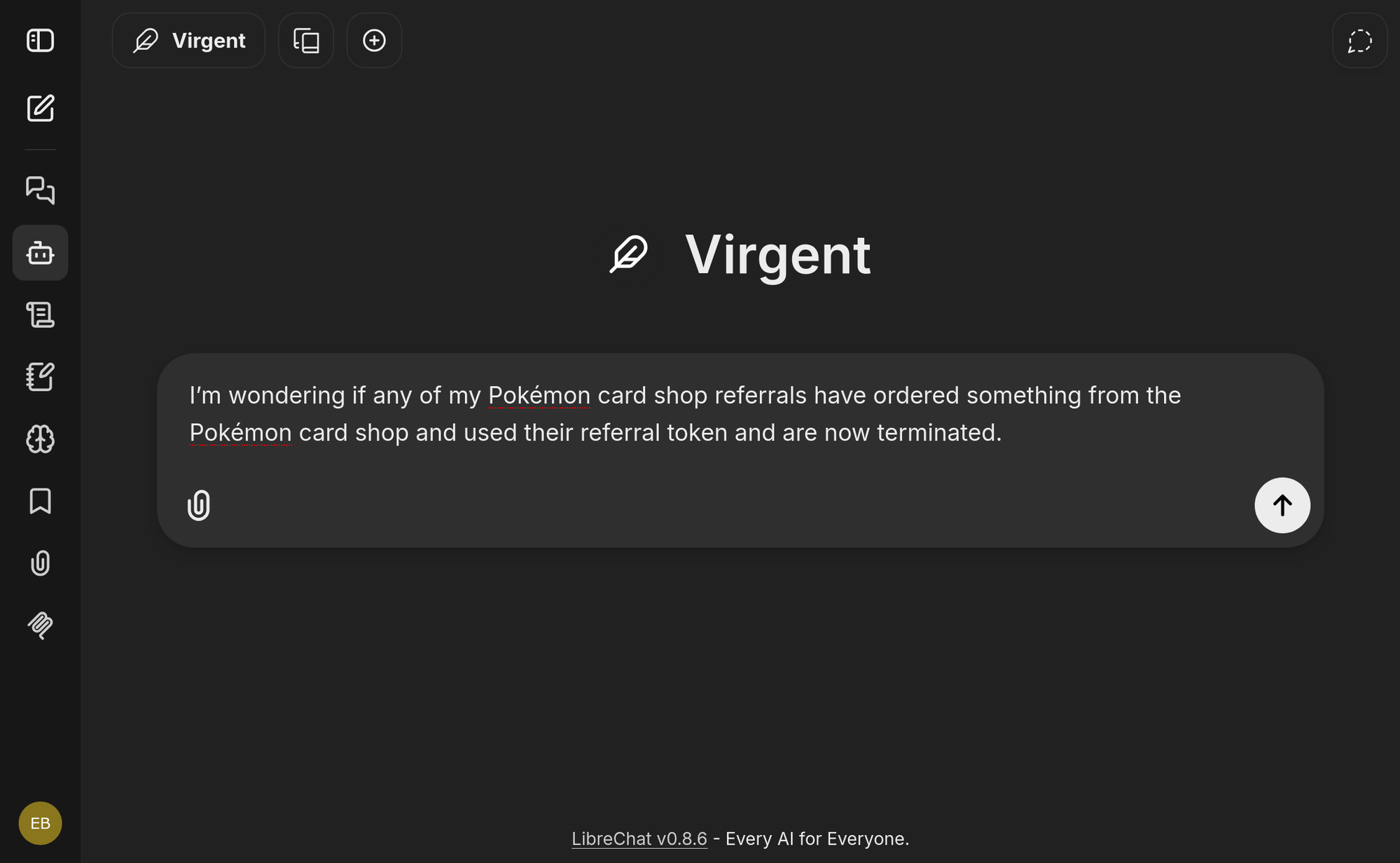
“I’m wondering if any of my Pokémon card shop referrals have ordered something from the Pokémon card shop and used their referral token and are now terminated.”
This is a question no single-backend agent can answer. The orchestrator recognises immediately that it spans both systems and plans accordingly: go to WFO first to find terminated referrals, then cross-reference against shop orders.
The WFO agent finds 6 terminated “Pokémon card Customer” subscriptions, each with referral_verified: true. The shop-admin agent pulls the order history. Both agents surface the same honest caveat: the approvaltoken is consumed at checkout and not stored on either the WFO subscription or the shop order, so there’s no token field to match on. The only available join key is email, so that’s what the orchestrator uses.
Result: 2 of the 6 terminated referrals placed completed orders in the shop, matched by email. The other 4 had no matching orders.
Neither agent fabricated a match when the data wasn’t there, and neither could have answered the question alone. Worth comparing to the Agent Chain version of the same query: there, shop-admin ran first by default (it’s first in the chain), hit the dead end about the missing token field, and the WFO agent then picked up from that context. Same result, but the subagent version was more intentional; the orchestrator planned the order of operations upfront rather than discovering the constraint mid-chain.
How identity actually flows
The short version: every tool call reads the signed-in user’s access token from MongoDB and substitutes it into the Authorization header before hitting your backend.
Authorization happens at the backend, not in LibreChat. LibreChat is a trusted forwarder; it doesn’t make access decisions. You can’t grant someone access by pointing them at a different agent; the backend rejects them based on their actual token.
A shared API key would give every user the same permissions, which defeats the point. With per-user tokens, a non-admin user literally cannot perform writes, no matter which agent they’re talking through.
One thing we learned the hard way: identity dies at any hop that doesn’t forward the token. This is why we dropped cagent (Docker Agent): its MCP/A2A endpoints have no inbound auth support and headers are static, so the user token never made it past the first hop. Any intermediary you introduce later needs to explicitly forward Authorization: Bearer <user-token> or you silently break the identity chain.
Observability with Langfuse
Without observability, an agent orchestrator is a black box. When something goes wrong in a multi-agent chain calling real backends with real user identities, you need to know which agent called which tool, with which token, and how long it took. LibreChat has native Langfuse support: three env vars and everything is traced:
LANGFUSE_PUBLIC_KEY=pk-lf-...
LANGFUSE_SECRET_KEY=sk-lf-...
LANGFUSE_BASE_URL=https://cloud.langfuse.com   # or self-hosted
By default traces use LibreChat’s internal user ID rather than something human-readable. There’s an open PR to improve this, but in the meantime a small patch to the @librechat/agents fork lets you set LIBRECHAT_TRACE_USER_ID_FIELD=email to make traces filterable by the user’s actual email address in the Langfuse UI.
Things that will trip you up
Your backend needs to bind to 0.0.0.0, not 127.0.0.1.
LibreChat reaches backends via host.docker.internal, which resolves to the Docker bridge gateway, not loopback. If your backend starts on 127.0.0.1 (uvicorn’s default without --host), the container can’t reach it. The symptom is fetch failed (request aborted, likely after a timeout) in the LibreChat logs followed by the circuit breaker opening. Start with --host 0.0.0.0.
The circuit breaker needs to cool down after failures.
After 3 failed connection attempts, LibreChat’s circuit breaker blocks further attempts for up to 30 seconds (with a 15-second cooling phase if it cycles too fast). Fixing the backend and saving librechat.yaml won’t help immediately; wait for the cooldown or restart the LibreChat API container.
mcpSettings.allowedAddresses has to match exactly.
If your MCP URL is http://host.docker.internal:8080/mcp/ but your allowedAddresses entry is host.docker.internal:8081, the connection is blocked with no useful error. Match host and port precisely. Private IPs (192.168.x.x, 10.x.x.x) also need to be listed.
{{LIBRECHAT_OPENID_ACCESS_TOKEN}} only works in librechat.yaml.
Servers created through the LibreChat UI can’t use identity-forwarding placeholders; that’s intentional (CVE GHSA-pmw7-gqwj-f954). Always define identity-forwarding servers in librechat.yaml.
Agent chains run in order, one at a time. Agents run sequentially. A cross-domain question takes as long as the sum of each agent’s round-trips. This is usually fine, but worth knowing if latency matters.
The orchestrator needs to be explicit about what to pass between agents. In Agent Chain mode, agents see previous outputs but that doesn’t mean the orchestrator instructions can be vague. “Ask shop-admin for the product SKU, then ask workflow-agent whether a subscription exists for it” needs to be spelled out; without explicit guidance, identifiers don’t always thread correctly.
Groups are set at login, not updated live. If you add a user to a Cognito group after they’ve logged in, their current session still carries the old group list. They need to sign out and back in. The background token refresh updates expiry but doesn’t re-read group claims.
Where this doesn’t scale
This setup is deliberately simple, appropriate for a single trusted VPS. When you outgrow it, here’s what you’ll hit:
- No centralized policy. Each backend enforces its own rules. A cross-cutting constraint (e.g. “no writes after hours”) means touching every backend separately.
- No mTLS. Traffic between LibreChat and your backends is plain HTTP on the host network. Fine for a single VPS, not for a multi-tenant cluster.
- No independent scaling. All agents run inside the LibreChat process. You can’t scale the WFO agent without scaling everything.
- Agents aren’t separately deployable. They can’t be updated independently or reused by a different orchestrator outside LibreChat.
The answer to all of these is a service mesh, an agent gateway (agentgateway / kgateway) doing centralized policy and RFC 8693 token exchange, and agents as independent A2A endpoints. That’s a lot more infrastructure, and for Cognito specifically, you’ll need a custom STS shim since it doesn’t natively support token exchange. Worth building when you need it, not before.
Want to explore how AI agents can automate your operations? Contact Virge.io — we help teams implement agentic AI solutions on infrastructure they already own.